Microsoft Office
Microsoft Office
1-5
2-4 weeks/course
$198 - $448/course
(subject to change without notice)SWI funding available.
Program Overview
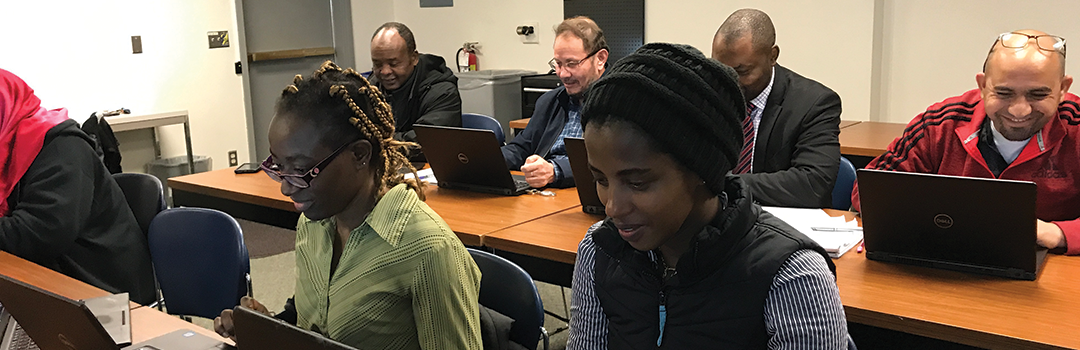
Microsoft is the #1 office suite worldwide. Employers consistently list proficiency in Word and Excel as essential skills. Our comprehensive training courses provide the foundation to create professional documents and spreadsheets while preparing participants with the knowledge needed for the Microsoft Office Specialist (MOS) certification.
Whether you're new to Microsoft Office or looking to certify, this program delivers practical, hands-on experience needed to succeed in academic and professional environments. Our program is ideal for career changers, those seeking to enhance their employability through practical technology training, and anyone wanting to feel comfortable with technology for personal use.
Choose the certification path that's right for you:
- MOS Word: Complete the Intermediate Word course and receive a voucher for the MOS Word certification exam.
- MOS Excel: Complete the Intermediate Excel course and receive a voucher for the MOS Excel certification exam.
- MOS Excel Expert: Complete the Advanced Excel course and receive a voucher for the MOS Excel Expert certification exam.
Participants who complete the required coursework within their chosen pathway will earn a school-issued microcredential and receive a voucher for the corresponding Microsoft Office Specialist (MOS) certification exam. Optional introductory courses are available for beginners seeking additional preparation before enrolling in the certification-focused training.
WHAT YOU WILL LEARN
- Create professional documents and resumes
- Format and design documents using styles, layouts, and tables
- Work with graphics, templates, and document collaboration tools
- Build and format spreadsheets with formulas and data analysis
- Create charts, manage data, and organize information effectively
CERTIFICATION
Upon successful completion of all courses in the Basic Computer Skills program, students will receive:
- A Workforce Training Microcredential issued by SLCC
- A Microsoft Office Specialist (MOS) Certificate*
* upon successfully passing the certification exam
Available Courses
Ready to enroll? Click the yellow Register button on the course card.
WTMW100
Introduction to Word
Credit Hours: 12
Semester: Classes offered year-round
Price: $198
WTMW200
Intermediate Word
Credit Hours: 24
Semester: Classes offered year-round
Price: $448 (includes MOS certification exam)
WTMX100
Introduction to Excel
Credit Hours: 12
Semester: Classes offered year-round
Price: $198
WTMA200
Intermediate Excel
Credit Hours: 24
Semester: Classes offered year-round
Price: $448 (includes MOS certification exam)
WTMW300
Advanced Excel
Credit Hours: 24
Semester: Classes offered year-round
Price: $448 (includes MOS certification exam)
Class Schedule
Microsoft Word
| Session | Dates | Time | Location |
|---|---|---|---|
| Introduction to Word | Oct. 6, 2026 - Oct. 15, 2026 | T/Th 9:00am - 12:00pm | Miller Campus |
| Introduction to Word | Jan. 11, 2027 - Jan. 25, 2027 | M/W 5:30pm - 8:30pm | Taylorsville Campus |
| Intermediate Word | Nov. 3, 2026 - Dec. 1, 2026 | T/Th 5:30pm - 8:30pm | Miller Campus |
| Introduction to Excel | Oct. 20, 2026 - Oct. 29, 2026 | T/Th 9:00am - 12:00pm | Miller Campus |
| Introduction to Excel | Feb. 1, 2027 - Feb. 10, 2027 | M/W 5:30pm - 8:30pm | Taylorsville Campus |
| Intermediate Excel | Nov. 2, 2026 - Nov. 25, 2026 | M/W 5:30pm - 8:30pm | Miller Campus |
| Advanced Excel | Oct. 20, 2026 - Nov. 12, 2026 | T/TH 5:30pm - 8:30pm | Miller Campus |
TOTAL ESTIMATED COST
Microsoft Word Associate: $448 - $646
Microsoft Excel Associate:$448 - $646
Microsoft Excel Expert: $448
TOTAL PROGRAM COST: $1,344 - $1,740
Funding Sources
Utah residents who have lived in the state for at least 12 months may qualify for Strategic Workforce Term Intensive Training (SWI) funding, which covers up to 50% of tuition costs for this program.
How to apply for SWI funding:
- Complete and submit the SWI Funding application.
- Receive your approval email and discount code.
- Register for the program using your discount code
Program Terms and Conditions
- Funding is based on Utah residency of a minimum of 12 months.
- You must complete a SWI application to determine eligibility.
- SWI funding is limited and awarded on a first-come, first-served basis.